.png)

WhatsApp's Business Messaging Policy, shown as last updated on 23 September 2026, lists political parties, politicians, candidates and campaigns, and entities offering political campaign services, among those prohibited from using its business messaging platform. Before planning any WhatsApp campaign communication for an election, read the current policy and confirm the position with WhatsApp in writing.
Many campaign teams ask whether they can use WhatsApp the way they use SMS. The question matters, because the wrong answer can lead to blocked accounts and wasted work. This guide explains what the policy says about WhatsApp and political campaigns, what it does not say, what the risks are and what to do instead. It belongs to our wider guide to political campaign marketing in India, which covers SMS and voice, the two channels this cluster recommends.
By Rupali Dahiwal. Last reviewed: 25 October 2026. This is a summary of a published policy, not legal advice and not a statement by WhatsApp. Policies change, so read the current text yourself.
What the policy says
WhatsApp publishes a Business Messaging Policy that sets out who may use its business messaging products and for what. The version we checked on 25 October 2026 shows a last-updated date of 23 September 2026. In the part dealing with political, election and government use, it says in summary:
Government entities are permitted, but must access the platform through a Solution Provider.
Political parties, politicians, candidates and campaigns are prohibited, as are law enforcement, military and national security or intelligence agencies.
Entities offering political campaign services, voting solutions for elections, or acting as exclusive government service providers are also prohibited.
The policy also sets general rules that apply to all business messaging: you may contact people only if they have opted in to receive your messages, you may start a conversation only with an approved message template for its designated purpose, and you must honour requests to stop. These rules apply on top of the political restriction, not instead of it.
What the policy does not say
It has no separate section on elections. It refers readers to a WhatsApp elections page for more information.
The WhatsApp elections page, which redirects to a Meta page on preparing for elections, did not address political parties or campaigns using the business platform when we checked. Its WhatsApp content concerned fact-checking help for people who use WhatsApp.
It does not list every kind of activity, so you cannot treat silence on a topic as permission.
Press coverage from earlier years described a similar position. A Mozilla Foundation write-up of WhatsApp's 2024 election responses reported that political candidates and campaigns were not permitted to use the WhatsApp Business Platform, and that accounts which automate messages or message people without permission can be banned. That is a secondary source about an earlier date, so rely on the current policy text, not on a summary.
Why this matters for campaign planning
Account risk
Business messaging accounts can be reviewed and restricted. If an account is used in a way the policy prohibits, the account holder can lose access, and the campaign's work and list can be disrupted at the worst time.
Provider risk
The policy also prohibits entities that offer political campaign services. A messaging provider that sets up a business account for a political campaign may put its own access at risk, and that risk can reach other customers on the same account. Ask any provider you use how it handles political use of WhatsApp and get the answer in writing.
Reputation risk
A message sent through a channel the platform prohibits can be reported and blocked, and the story becomes about the channel instead of the content.
Do not confuse the business platform with personal use
People sometimes say that political parties use WhatsApp widely. Personal and group messaging between individuals is a different thing from the business messaging platform that this policy governs. This article is about the business messaging products that providers set up through the platform's rules. It does not assess what individuals do in their own groups, and it does not assess any unofficial tools. We do not recommend using unofficial tools to send bulk messages through personal accounts, which can breach WhatsApp's terms and put numbers at risk.
What to do if someone suggests WhatsApp for a campaign
Read the current policy. Check the date and the political, election and government section.
Ask in writing. Put your exact use to WhatsApp or to a provider that has a direct relationship with it, and keep the reply.
Check your provider's position. Ask whether it will set up a business account for a political campaign, and on what terms.
Do not rely on hearsay. What others reportedly do is not evidence that it is allowed.
Plan the main channels without it. If the answer is no or unclear, build the campaign on channels you can use with confidence.
The alternatives this cluster covers
For factual campaign notices, SMS and voice are the channels we cover in this series, each with its own rules and approvals:
SMS vs voice calls for election campaigns explains how to choose between them.
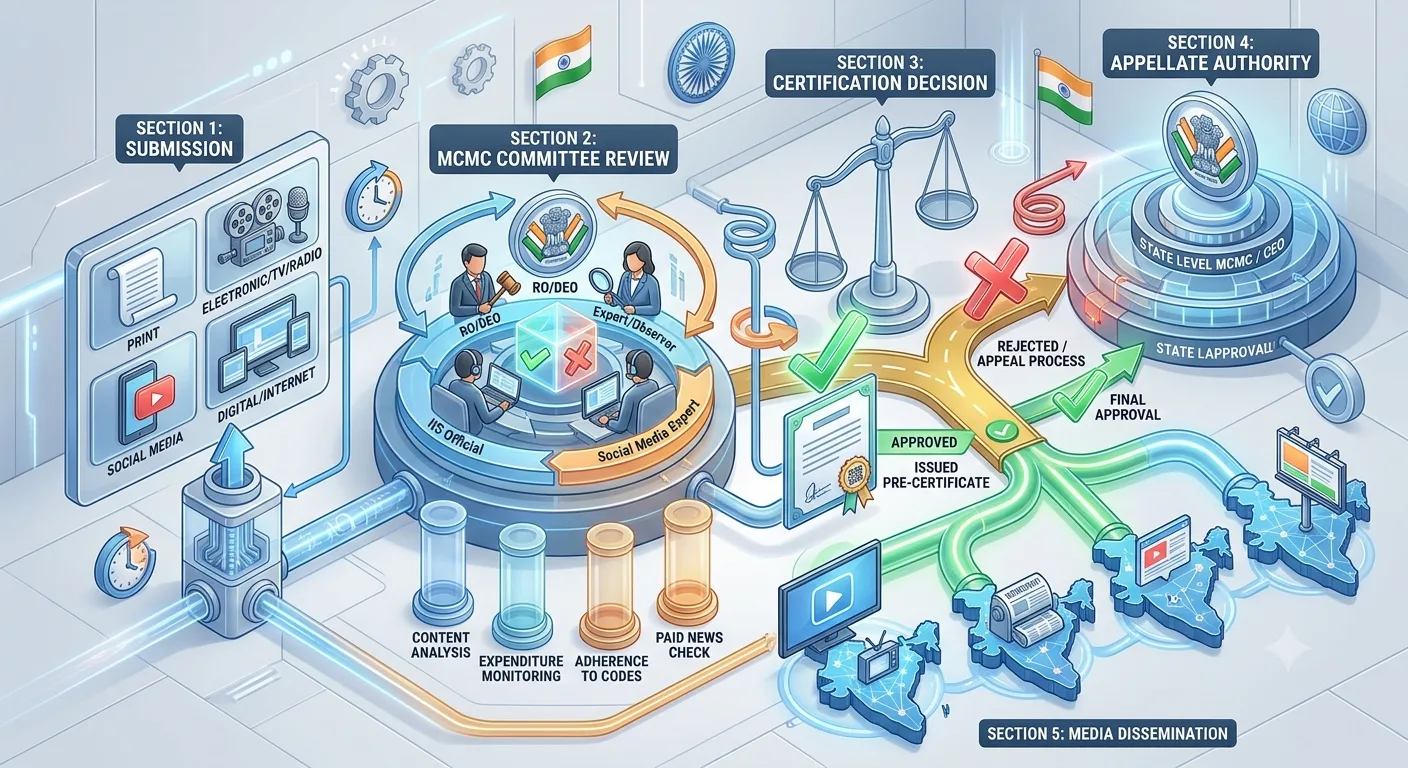
MCMC pre-certification explains how to check election-specific approval for bulk SMS and voice, which the Election Commission named among the electronic media in its note of 20 March 2026.
If you want to send factual notices by text, SMSNiti's bulk SMS service describes registered sender and template setup, scheduling and per-number delivery status.
How to read any platform policy before you plan
The same habit helps with every platform, not just this one. Read the policy page itself, not a blog post about it. Note its last-updated date. Find the sections on who may use the product, what content is restricted and what happens if the rules are broken. Then write down the exact sentence that applies to your use, and the date you read it. If the wording is unclear, ask in writing and keep the reply.
Treat the platform’s opt-in and opt-out rules as a floor. A campaign that cannot show where its contacts came from, or that cannot stop messaging people who ask to be removed, has a problem on any channel. Our guide to contact lists and consent records sets out the records to keep, and they apply whichever channel you choose.
If a rule changes
Policies are updated. If WhatsApp changes its policy, or confirms in writing that a particular political use is allowed, the position changes, and this article should be updated. Until then, plan on the basis of the published text. Check the policy again before each campaign, and record the date you checked and what it said, in the same way you record Election Commission orders.
A short checklist
Current policy read and its date recorded.
Political, election and government section checked.
Written question put to WhatsApp or the provider, with the answer filed.
Provider's position on political use confirmed in writing.
No unofficial bulk tools in the plan.
Campaign built on channels confirmed to be usable.
Policy re-checked before each campaign.
A hypothetical example
This is an illustration, not a real case. An agency is asked to add WhatsApp to a campaign plan because "everyone uses it". The compliance contact reads the current policy, notes the political section and writes to the provider asking whether a business account can be set up for a political campaign. The provider's written reply says it cannot. The agency records the policy date and the reply, drops WhatsApp from the plan and moves the budget to SMS and voice, each with its own approval and test steps. The plan is smaller, but it does not depend on an account that can be shut.
Common mistakes
Treating popularity as permission. What people do is not what the policy allows.
Relying on a summary. Read the policy yourself.
Assuming silence is approval. The policy names political users explicitly.
Using unofficial tools. They risk numbers and breach terms.
Not asking the provider. The provider has its own exposure.
Never re-checking. Policies change.
Frequently asked questions
Can political parties use the WhatsApp Business Platform?
According to WhatsApp's Business Messaging Policy, shown as last updated on 23 September 2026, political parties, politicians, candidates and campaigns are among those prohibited from using its business messaging platform. Check the current text and confirm with WhatsApp.
Can a messaging provider run WhatsApp campaigns for political clients?
The policy also prohibits entities offering political campaign services. Ask the provider in writing how it handles political use.
Is WhatsApp allowed for government communication?
The policy says government entities are permitted but must access the platform through a Solution Provider. That is separate from political parties and campaigns.
Does opt-in make political messaging allowed?
No. Opt-in is a general requirement for business messaging. It does not override the policy's political restriction.
What channels can a campaign use instead?
This series covers SMS and voice, each with telecom rules and, where they apply, election-specific approvals.
Sources checked
WhatsApp, Business Messaging Policy, last updated 23 September 2026 as shown on the page. Checked 25 October 2026.
Meta, page on preparing for elections, reached from WhatsApp's elections link. Checked 25 October 2026.
Mozilla Foundation, write-up of WhatsApp's responses to election questions (2024), as a secondary report. Checked 25 October 2026.
Election Commission of India, Press Note No. ECI/PN/038/2026 dated 20 March 2026. Checked 24 October 2026.
If a provider tells you something different from the published policy, ask for it in writing, and keep it with your records.