.png)

A good brief for a regional election voice recording names the approved script, the speaker, the language and script version, pronunciation notes, pacing, audio file requirements, the contact details to be spoken and the stop procedure. Give the recording team a locked script and a checklist, and approve the final audio, not just the text.
When a campaign sends a voice message in a regional language, the recording is where small errors become very audible. A mispronounced place name or a wrongly spoken number reaches every recipient at once. This guide gives production teams a clear election voice recording brief they can adapt, covering speaker choice, pronunciation, pacing, audio quality, approvals and file handling. It is part of our wider guide to political campaign marketing in India, and it supports our guide to bulk voice calls for election campaign communication, which covers planning and call flow.
By Rupali Dahiwal. Last reviewed: 25 October 2026. This guide is about production readiness for authorised, factual and approved content. It does not provide persuasive political scriptwriting. It is operational guidance, not legal advice.
What this brief is for
The brief is a single document handed to whoever records, edits and delivers the audio. Its job is to remove guesswork. A recording studio, a freelance speaker or an in-house team should be able to produce the right file from this document alone, without calling the campaign to ask basic questions in the middle of a release.
Use it for the kind of message that fits a recording: a short, approved announcement or reminder. If the content has not been approved, if facts are still changing or if the message depends on exact numbers that may change, stop and fix that first. A recording is hard to correct once it has gone out.
Section 1: The approved script
The script is the base of the brief. Treat it as locked.
Version and date. Give the script a version number and approval date. The speaker records only that version.
Approver. Name the person who approved the words, and the person who verified the facts.
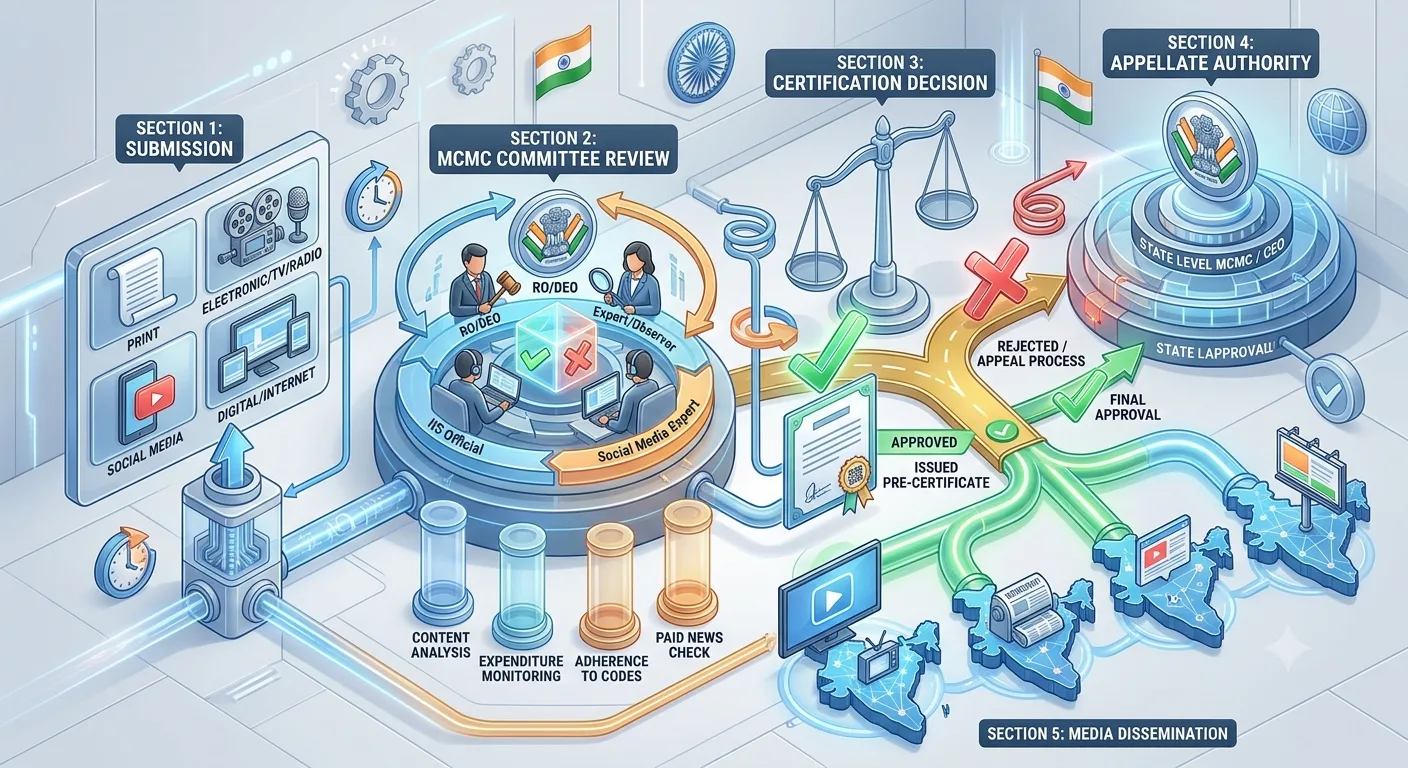
Election-specific status. State whether pre-certification applies to this content and, if so, whether it has been obtained. For the elections covered by its press note dated 20 March 2026, the Election Commission required political advertisements on electronic media, including bulk SMS and voice messages, to be pre-certified by the Media Certification and Monitoring Committee. Our guide to MCMC pre-certification explains how to check what applies to your election.
No ad-libbing. The speaker reads exactly what is written. If something sounds wrong, they ask. They do not change it.
Section 2: Language and script
Say which language and which script the recording uses, and who reviewed it.
Language and variety. Many states have several spoken varieties. Do not assume one form suits every district. Ask a local reviewer.
Written script for the speaker. Give the speaker a text they can read comfortably. For some languages, a different script, such as a transliteration, may be easier. Decide this with the reviewer.
Native-speaker review. A native speaker of the language should check both the text and the recording.
Do not infer language from personal traits. Use the language set in your lawful brief for the audience, not guesses about religion, caste or political views.
Section 3: Pronunciation notes
Pronunciation is the most common source of embarrassing errors. Prepare a short list:
Names of people, places, venues and organisations, with a phonetic guide where needed.
Numbers, including phone numbers. Say how they should be spoken, for example digit by digit or in groups.
Dates and times, and the format in which they should be spoken.
Abbreviations and acronyms: spoken as letters or as words.
Any term that changes meaning with stress or pronunciation.
Ask the speaker to record the difficult items first as a short test. Have the local reviewer listen before the full recording.
Section 4: Speaker, tone and pacing
Speaker. Choose a clear, neutral voice that is comfortable in the language. Do not use the voice of a real person without their written consent, and do not imitate or synthesise a real person's voice in a way that could mislead listeners.
Tone. Calm, clear and factual. A public update should not sound like a sales pitch.
Pace. Slower than normal conversation. Listeners hear it once, often in noisy places.
Pauses. Add short pauses before key details, such as the date or number.
Repeat the key detail once near the end, if the script says so.
Keep these notes apart from the spoken script, so the approved text stays clean.
Section 5: Audio quality and file requirements
Ask your provider for its accepted file format, length limit and any other requirements before recording, and put them in the brief. SMSNiti's bulk voice call service supports uploading a recorded voice message, so confirm the exact format requirements with SMSNiti or your provider. Then specify:
Recording environment. A quiet room with no echo, no fan noise and no traffic.
Equipment. A decent microphone, kept at a steady distance.
Levels. No clipping, no very quiet sections.
Editing. Remove breaths and clicks only if the result still sounds natural. Do not cut words.
File name. Include the campaign, language, script version and date, so the right file is always obvious.
Length. Check the spoken length against the provider's limit, and against how long a recipient will reasonably listen.
Section 6: Contact details spoken in the message
If the recording gives a helpline number or other contact detail, the brief must state it exactly, how it should be spoken and the hours it is staffed. Before release, call the number yourself. A helpline that nobody answers turns a useful message into a complaint.
Section 7: Review and sign-off
Script check. The recording matches the approved script word for word.
Language check. A native speaker approves pronunciation and tone.
Fact check. The person who verified the facts listens to the recording.
Technical check. The file plays correctly on a basic phone and a speaker.
Approval check. The final file matches the version that received any required election-specific approval.
Sign-off. A named person approves the final file in writing.
Any change after sign-off, even a re-recorded word, needs the checks repeated for that change.
Section 8: Test the recording in the real call
A file that sounds fine on a laptop may sound different on a phone call. Before release, run a test call to an authorised phone and listen to the full call, including the start and end. Test the call flow if the campaign uses key presses. Our guide to bulk voice calls for election campaign communication explains the full test and what to check in the report.
Section 9: Handover, storage and stop procedure
Handover. Give the provider only the approved final file, with its name and version.
Storage. Keep the final audio, the transcript, the sign-off and any approval record together.
Access. Limit who can upload or replace the file.
Stop procedure. Name the person who can pause the campaign, and give their contact. If an error is found, pause first, then verify, correct and re-approve.
A brief you can copy
Use these headings in a one-page document, and fill each one:
Campaign and purpose.
Script version, date and approver.
Election-specific approval status.
Language, script and reviewer.
Pronunciation list.
Speaker, tone and pace.
File format, length and naming.
Contact details to be spoken, with hours.
Review and sign-off steps.
Test call plan.
Storage and stop procedure.
Common mistakes
Recording before the script is locked. Every change means a re-record and re-check.
No pronunciation list. Place names go wrong most often.
Using a recognisable voice without consent. It can mislead listeners and create serious risk.
Approving the text but not the audio. The audio is what people hear.
File version confusion. Name files clearly and send only the final one.
Unanswered helpline. Call it before you release.
Frequently asked questions
What should an election voice recording brief include?
The locked script, approval status, language and script, pronunciation notes, speaker and pace, file requirements, spoken contact details, sign-off steps, test plan and stop procedure.
Does the recording need election-specific approval?
It can. For the elections covered by the Election Commission's note of 20 March 2026, bulk voice messages were named among electronic media needing pre-certification of political advertisements. For another election, check that election's orders. Whether a particular recording counts as a political advertisement is a question for the MCMC or a qualified adviser.
Who should review the recording?
A native speaker for language and pronunciation, the person who verified the facts, and the approver who signed off the script.
Can I use a voice that sounds like a well-known person?
Do not use or imitate a real person's voice without their written consent, and do not use a voice in a way that could mislead listeners about who is speaking.
What file format should I use?
It depends on your provider. Ask for the accepted format and length limit before recording.
Sources checked
Election Commission of India, Press Note No. ECI/PN/038/2026 dated 20 March 2026. Checked 24 October 2026.
TRAI, What is spam or UCC, last updated 23 October 2026 as shown on the page. Checked 25 October 2026.
SMSNiti bulk voice call service page, for recorded upload and text-to-speech options. Checked 25 October 2026.
If you are preparing a voice message, SMSNiti can confirm file requirements and run a test call with you. Bring your locked script and approval status. See SMSNiti's bulk voice call service for how recorded messages and reports work.