.png)

To review multilingual political campaign messages before release, lock one source copy, assign a named native-speaker reviewer for each language and script, check names, dates and numbers separately, test how the text displays on real phones, and record sign-off against a version number. Translation does not replace election-specific approval where it applies.
A message that is correct in one language can be wrong in another, and the error is usually discovered after it has been sent to everyone. A reliable multilingual political campaign message review process catches wrong names, shifted meanings and broken characters before release. This guide gives a step-by-step workflow for SMS and voice, with checks for script, encoding and pronunciation. It belongs to our wider guide to political campaign marketing in India.
By Rupali Dahiwal. Last reviewed: 25 October 2026. This is operational guidance, not legal advice. It covers review workflow for approved, factual content, not what a campaign should say.
Why multilingual review needs its own process
India has many languages and scripts, and states often have several spoken varieties. A campaign that sends in more than one language multiplies its risk, because each version is a separate piece of content that can contain its own error. Four problems recur:
Meaning drift. A translation changes a date, a condition or a tone.
Wrong names and places. Names are spelled or pronounced in a way local people find wrong.
Display problems. Characters appear broken on some handsets, or a message splits into more parts than expected.
Sound problems. A voice recording mispronounces a place or reads a number the wrong way.
The fix is a process with one owner for the source, one reviewer for each language and one record of sign-off.
Step 1: Lock the source copy
Choose one language as the source and finish it first. Fact check it, approve it and give it a version number. Do not translate a draft that is still changing, because every later edit forces every translation to be redone and re-reviewed. If the source changes after translation has started, stop, update the source, and send the change to every translator and reviewer.
Step 2: Decide language, variety and script
For each audience, decide:
The language. Use the language set in your lawful brief for that audience.
The variety or register. Many states have formal and colloquial forms and regional variation. Do not assume one form suits every district. Ask a local reviewer.
The script. Some audiences read a language more easily in its own script, others in a transliteration. Decide with the reviewer, and be consistent within a message.
Do not infer a person's language from religion, caste, political views or other sensitive traits. If you do not know the preferred language of a contact, use an operational basis, such as the language they chose when they registered, or ask them.
Step 3: Translate with a named owner
Assign one translator per language, and record who it is. Give the translator the locked source and a short glossary of fixed terms: names, places, event titles, helpline wording. Ask for a translation that keeps the same facts and the same level of formality, not a creative rewrite.
Step 4: Run an independent native-speaker review
The reviewer should be a different person from the translator, and a native speaker of the language. Ask the reviewer to check:
Does it say exactly what the source says, with no added or missing facts?
Is it natural and respectful in tone for the audience?
Are names and places spelled the way local people expect?
Are numbers, dates and times correct and in the form readers use?
Is anything ambiguous, or open to a different meaning in a local context?
Where the stakes justify it, add a back-translation: someone who has not seen the source translates the version back into the source language, and you compare the result with the original. Differences point to places where meaning shifted.
Step 5: Check names, dates and numbers on their own
Errors cluster in the details that readers act on. Check these separately from the general review:
Names of people and places, against an authoritative record, not memory.
Dates and times, including the day of the week if you give it.
Phone numbers, digit by digit.
Links, by opening each one on a phone.
Venue details, against the organiser's confirmed record.
Step 6: Check SMS display and length
Text in Hindi and other Indian scripts typically uses Unicode, which fits fewer characters in one SMS part than plain English text, so a regional-language message may be billed as several parts. These are typical technical limits, so confirm the count in your provider's panel. Then test on real phones of different makes, because a message that looks right in the panel can display poorly on some handsets. SMSNiti's bulk SMS page lists support for regional languages such as Hindi and Marathi, and your provider should let you test before sending. See election campaign SMS message formats for length and template notes.
Step 7: Check voice recordings for pronunciation and pace
For voice, a native-speaker reviewer should listen to the recording, not just read the script. Check pronunciation of every name and place, how numbers are read, pace and pauses, and audio clarity on a basic phone and on a speaker. Keep a pronunciation list with the script, so the speaker and the reviewer work from the same guide. Our guide to briefing a regional voice recording gives a full production checklist, and SMSNiti's bulk voice call service supports recorded uploads and text-to-speech, either of which should be listened to in full before approval.
Step 8: Record sign-off against a version number
For every language version, record: the source version it came from, the translator, the reviewer, the date of review, the final text or audio file name and the approver. Treat any change after sign-off as a new version that goes through review again. A small edit, even one word, can change meaning.
Step 9: Keep election-specific approval aligned
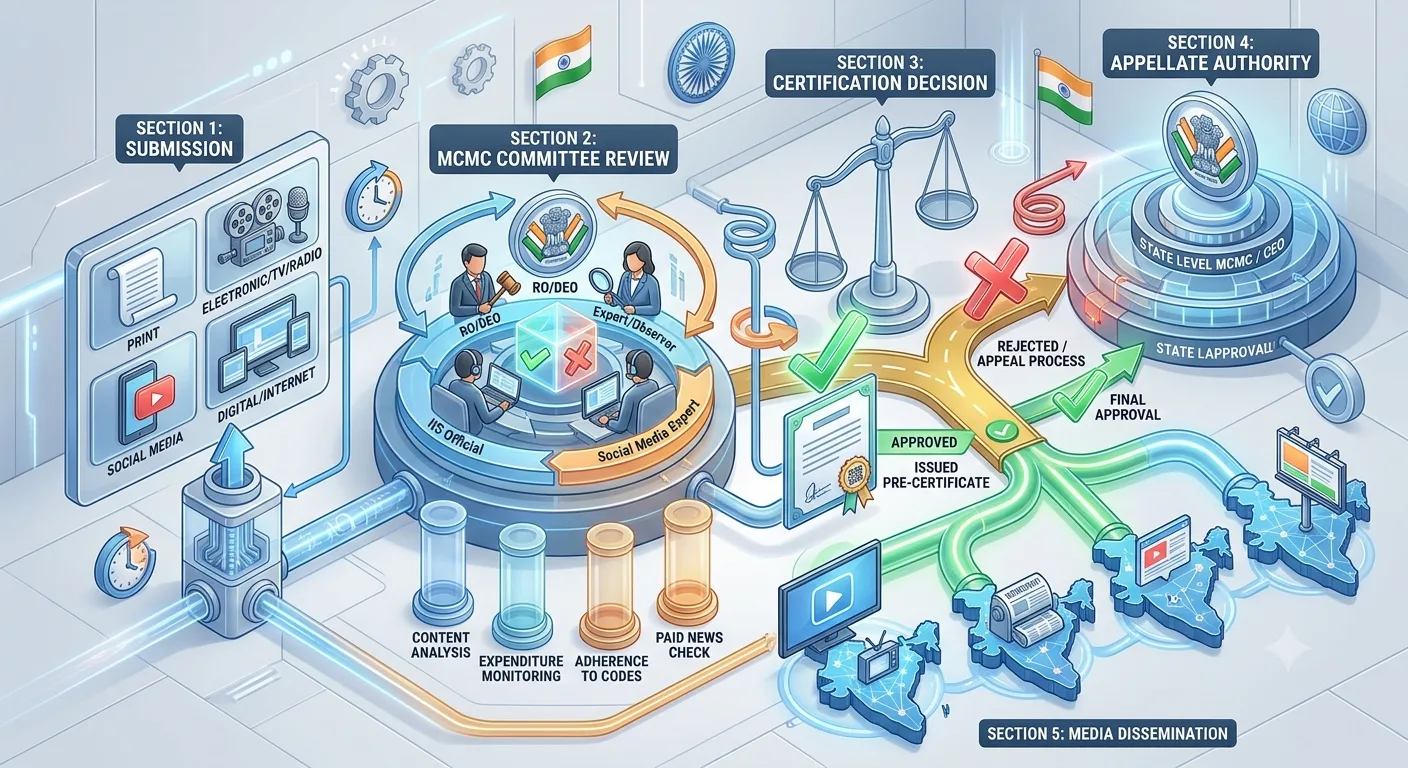
Translation does not replace election-specific approval. For the elections covered by its press note of 20 March 2026, the Election Commission required political advertisements on electronic media, including bulk SMS and voice messages, to be pre-certified by the Media Certification and Monitoring Committee. If approval applies to your content, check whether it covers each language version and whether the approved wording matches what you will send. Ask the committee or a qualified adviser how language versions are handled in your election. See MCMC pre-certification.
A review checklist you can copy
Source copy locked and numbered.
Language, variety and script decided for each audience.
Translator named for each language.
Independent native-speaker reviewer named for each language.
Names, places, dates, times, numbers and links verified separately.
Back-translation done where the stakes justify it.
SMS tested on several real phones, with part count checked.
Voice recording listened to in full by a reviewer.
Sign-off recorded against a version number.
Election-specific approval checked for each language version.
A hypothetical example
This is an illustration, not a real case. A team prepares a venue-change notice in English, Hindi and one regional language. The English source is fact checked and locked as version 2. The translators work from version 2. The native-speaker reviewer for the regional language notices that a village name has been spelled in a way local people would not recognise and that the time is written in a form readers rarely use. Both are corrected and the version is renumbered. The SMS test on three handsets shows that one handset displays a character badly, so the team changes the wording and tests again. Only then is the version signed off. The review took a day, and it prevented a wrong place name from going to a whole district.
Common mistakes
Translating before the source is final. It forces repeated rework.
Using the translator as the only reviewer. Review needs a second pair of eyes.
Assuming one variety fits all districts. Ask local reviewers.
Skipping phone tests. Display problems appear only on real devices.
Guessing language from sensitive traits. Use lawful, operational bases.
Editing after sign-off. Every change is a new version.
Relying on machine translation alone. It can be a starting point, but a human reviewer must check the result.
Frequently asked questions
Who should review a regional-language campaign message?
A native speaker of that language who did not do the translation, supported by a fact checker for names, dates and numbers.
Is machine translation acceptable?
It can produce a first draft, but every campaign message needs human review by a native speaker before release.
Does translation need separate approval?
If election-specific approval applies to your content, check whether it covers each language version, and keep the approved wording identical to what you send.
How do I check how an SMS will display?
Test on several real handsets and check the part count in your provider's panel.
How should I handle names that have more than one spelling?
Use the spelling from an authoritative record, confirm it with a local reviewer and record it in the glossary.
Sources checked
Election Commission of India, Press Note No. ECI/PN/038/2026 dated 20 March 2026. Checked 24 October 2026.
SMSNiti bulk SMS service and bulk voice call service pages, for the language and recording statements. Checked 25 October 2026.
If you are preparing voice messages in more than one language, you can ask SMSNiti to run a test call with you before release. Bring your locked scripts and your pronunciation list.