.png)

A political campaign communication approval workflow moves each message through draft, fact check, language review, compliance check, test and release, with one master copy, numbered versions, named approvers and a stored record of exactly what was approved and sent. Version control is what stops an unreviewed edit reaching recipients.
Most campaign communication errors are not mistakes of judgement. They are workflow errors: an old version is sent, a late edit skips review or nobody can say which wording was approved. A clear campaign communication approval workflow prevents these by making every step, owner and record explicit. This guide shows how to build one for SMS and voice, and how to manage versions across channels and languages. It belongs to our wider guide to political campaign marketing in India, and it extends the planning steps in how political campaign agencies can build a communication plan before the campaign starts.
By Rupali Dahiwal. Last reviewed: 25 October 2026. This is operational guidance, not legal advice. The workflow is about process and records, not about message strategy.
The goal: the sent message equals the approved message
The single test of a good workflow is that what was sent is exactly what was approved, and that you can prove it. Everything below serves that test. If you cannot show which version went out, who approved it and when, you cannot fix a problem quickly or answer a question later.
Roles in the workflow
Name a person for each role. In a small team one person may hold several, but each decision still needs to be explicit and recorded.
Content owner: writes the master copy and answers for what it says.
Fact checker: verifies every date, venue, name, number and claim against a named source.
Language reviewer: a native speaker for each language and script.
Compliance contact: checks telecom setup and any election-specific approval.
Channel operator: prepares and sends, only the approved version.
Release approver: authorises each release.
Pause owner: can stop a send at any time and is reachable throughout.
The workflow, step by step
1. Draft from one master copy
Every channel and language version comes from a single master. Do not write the SMS, the voice script and the translation separately from memory. Write the master, then derive each version from it, so that changes flow in one direction.
2. Fact check
The fact checker confirms each factual statement against a named source and records the source. Anything that cannot be confirmed is removed or marked pending, and a message with a pending item is not released.
3. Language review
Each language version is reviewed by a native speaker who did not write it. See our guide to multilingual message review for the full checks.
4. Compliance check
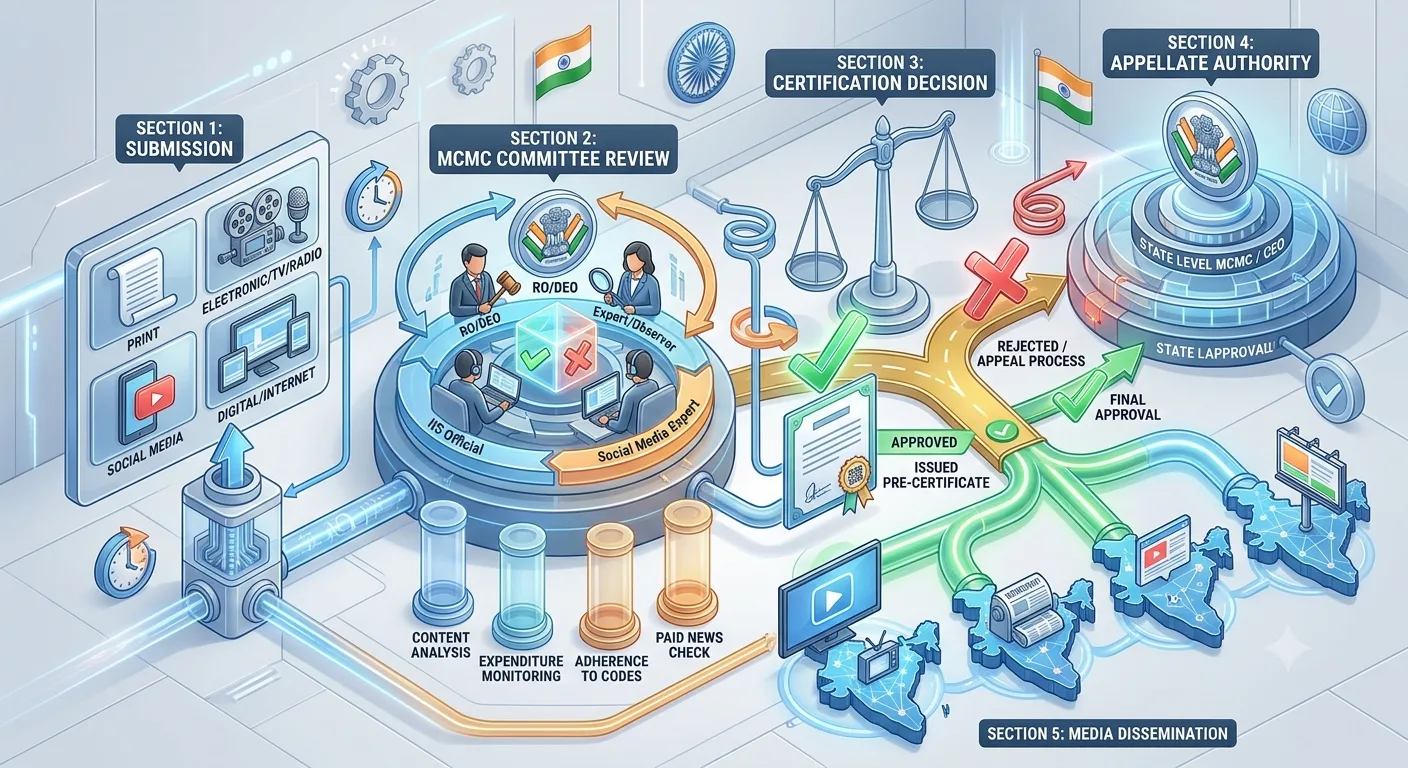
The compliance contact checks two things. First, telecom setup: whether the sender, header and template are registered, noting that telecom service providers approve or reject templates. Second, election-specific approval: for the elections covered by its press note of 20 March 2026, the Election Commission required political advertisements on electronic media, including bulk SMS and voice messages, to be pre-certified by the Media Certification and Monitoring Committee. Where approval applies, the certified version and the version to be sent must match. See MCMC pre-certification.
5. Test
The operator sends a test to internal phones, or places a test call, using the final version. Reviewers check the result on real devices. Any change after the test restarts the test.
6. Release authorisation
The release approver confirms that every earlier step is complete, checks the version number against the approval record and authorises the release. The approval is recorded with the time.
7. Send and monitor
The operator sends only the authorised version, and the pause owner stays reachable. After the send, someone confirms that the sent content matches the approved version.
8. Close and file
The approved version, the approval records, the report and the issue log are filed together.
Version control that works
Number every version
Use a simple scheme such as the campaign code, the message ID, the language and a version number. For example, "event-notice, Hindi, v3". The number appears in the file name, the approval record and the send log.
Keep a change log
For each version, note what changed from the previous one, who changed it and why. If the change affects facts, language or approval status, say which checks were repeated.
Never edit an approved version
If anything needs to change, create a new version and send it back through the steps that the change affects. A change to a date needs the fact check again. A change to wording needs language review again. A change to content that was certified needs the compliance check again.
Store versions in one place
Keep the master copy, every version and every approval in one shared location with limited access. Avoid sending versions around by chat or email, where old copies linger.
Match the template to the version
For SMS, the registered template must correspond to the approved wording, and an approved template cannot be edited, so a wording change means a new submission. See TRAI and DLT setup.
Managing several channels and languages
When one message goes out as SMS and as a voice call, in three languages, you have six items that should say the same thing. Manage them as a set:
Keep one table listing the master and each derived version with its number and status.
When the master changes, mark every derived version as out of date until it is updated and re-reviewed.
Release a set together only when every item is approved.
If one item cannot be approved in time, do not release the others with a different message by accident.
A short approval record template
Message ID, language, channel and version number.
Source version it was derived from.
Fact checker, date and sources.
Language reviewer and date.
Compliance check: telecom setup status, election-specific approval status and reference.
Test date and result.
Release approver and time.
Send time and report reference.
Handling last-minute changes
Late changes cause the worst errors, because they feel too small to review. Set a rule that no change is too small. If time is short, reduce what you are sending, instead of skipping steps. A single, reviewed message is better than three hurried ones. Agree in advance who can authorise an emergency change and which checks remain mandatory. The pause owner can always stop a send, and a stopped send can be restarted after review.
If an error is found after a send, move straight to the correction process. Our guide on pausing and correcting a wrong message sets out the steps.
A hypothetical example of the workflow in use
This is an illustration, not a real case. A team plans a reminder for a district event, in English and one regional language, by SMS and one recorded call. The content owner writes the master as version 1. The fact checker confirms the date and venue against the organiser’s record. The language reviewer corrects a place-name spelling, so the regional version becomes version 2 and the master stays at version 1. The compliance contact confirms the template is registered and records the answer about election-specific approval. The operator sends a test to five phones and the call to two, and the reviewers confirm both. The release approver checks the version numbers against the record and authorises the send. Afterwards the operator confirms in the report that the sent text matches version 2, and everything is filed. When the organiser moves the start time the next day, the master becomes version 2, every derived version is marked out of date, and the cycle repeats.
Tools: keep them simple
You do not need special software. A shared folder with a clear naming rule, a single tracking sheet and a short approval form can run this workflow for a small team. What matters is that the record is complete, access is limited and everyone uses the same place. If your team already uses a document or task tool, use it, but check that it keeps the history of changes and shows who approved what. Avoid approvals given only in chat messages that cannot be found again.
Common mistakes
Several master copies. They drift apart.
Editing after approval. It breaks the link between approval and send.
No version numbers. Nobody can say what went out.
One person doing every role with no record. The decisions are invisible.
Skipping the test for a small change. Small changes cause large errors.
Sharing versions by chat. Old copies get reused.
Frequently asked questions
What is an approval workflow for campaign messages?
A defined sequence of checks and sign-offs, with named owners and records, that each message passes before release.
How do I stop an unreviewed edit being sent?
Never edit an approved version. Create a new numbered version, send it back through the affected checks, and let the operator send only the version the release approver authorised.
Who should approve a message before it is sent?
The content owner, a fact checker, a language reviewer, the compliance contact and a release approver, with those roles recorded even if one person holds several.
Does an approval workflow replace election-specific approval?
No. It organises your internal checks. Where election-specific approval applies, you need that as well, and the approved version must match what you send.
How long should records be kept?
Decide in advance with your adviser and finance process. Do not assume a universal period.
Sources checked
Election Commission of India, Press Note No. ECI/PN/038/2026 dated 20 March 2026. Checked 24 October 2026.
TRAI, Advice to Senders / Telemarketers, last updated 23 October 2026 as shown on the page. Checked 24 October 2026.
If you want your sending platform to fit this workflow, ask SMSNiti about bulk SMS and how test sends, scheduling and delivery reports work for your campaign.