.png)

A 90-day political campaign communication calendar works best as relative phases, not fixed dates: readiness, approvals and setup, testing, controlled release, monitoring and pause windows, then close-out. Work backwards from the official schedule once it is published, and never put an unverified date into the plan.
Campaign teams often ask for a countdown to copy. A better tool is a political campaign communication calendar that shows what must be ready by when, who owns each item and what stops the plan if something is missing. This guide gives a 90-day structure in phases that you can stretch or compress. It belongs to our wider guide to political campaign marketing in India and builds on the checklist in how political campaign agencies can build a communication plan before the campaign starts.
By Rupali Dahiwal. Last reviewed: 25 October 2026. This is operational guidance, not legal advice. All election dates and restricted periods must come from the official orders for the election you are working on.
Why use phases instead of dates
As of 24 October 2026, press reports say several states are due for Assembly elections in 2027, but official polling dates have not been announced. A calendar built on guessed dates will be wrong, and a wrong calendar is worse than none, because people trust it. A phase-based calendar avoids that. You label each block "T minus" a reference point, then convert it to real dates once the Election Commission publishes the schedule.
Choose one reference point, such as the first day on which your campaign plans to send communication, or the date of a key public event. Count backwards from it. Do not use the date of polling as a casual reference, because restricted periods and approval timelines attach to specific official dates that you must verify.
The six phases
Phase 1: Readiness (about days 90 to 75 before your reference point)
The aim is to know what you are building and who owns it.
Write the one-page communication brief. See what a political campaign communication brief should include.
Name the content owner, fact checker, compliance contact, channel operator, release approver and pause owner.
List the message types you expect: venue and time notices, schedule pointers, helpline details, corrections.
Decide the languages and who reviews each.
Choose your provider. Use the provider scorecard if you have not.
Gate to pass: every role has a named person, and the brief is approved.
Phase 2: Approvals and setup (about days 75 to 50)
The aim is to have every approval and registration in hand before content is final.
Check the current Election Commission orders for your election. Record the date and number of each order you rely on.
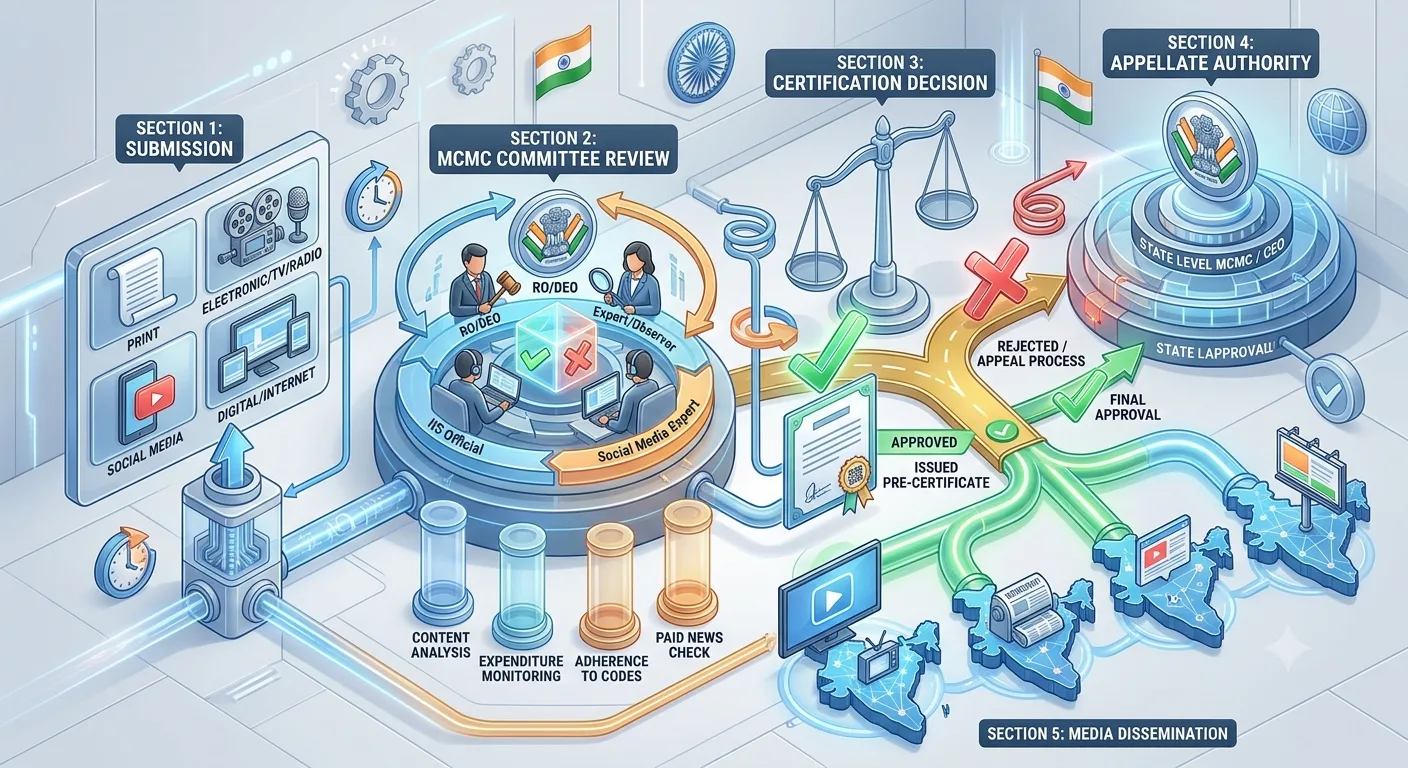
Resolve classification: ask the relevant Media Certification and Monitoring Committee or a qualified adviser whether each planned item counts as a political advertisement. For the elections covered by its press note of 20 March 2026, the Election Commission required pre-certification of political advertisements on electronic media, including bulk SMS and voice messages. See our guide to MCMC pre-certification.
Start telecom setup: entity, header and templates. Leave time for rejections and resubmissions, because operators decide template approval. See the TRAI and DLT checklist.
Confirm contact-list sources and permissions, and set up suppression.
Gate to pass: classification answered, template submissions made, list sources documented.
Phase 3: Content and review (about days 50 to 30)
Draft messages from one master copy.
Fact check every date, venue, name and number against a named source.
Run native-speaker review for each language and script.
Record voice scripts and review the audio, if you use voice.
Lock final versions and give them version numbers.
Gate to pass: locked, reviewed versions that match what was approved.
Phase 4: Testing (about days 30 to 15)
Test sends on several handsets and networks.
Test calls for voice, listening to the full call.
Open every link on a phone.
Rehearse the pause and correction process.
Confirm helplines are staffed during the hours stated in messages.
Gate to pass: a clean test result, and a pause owner who has practised the stop.
Phase 5: Controlled release and monitoring (from your reference point)
Release in small batches first where your plan allows.
Check delivery reports and complaints after each batch.
Re-verify that the sent version matches the approved version.
Respect restricted periods. Build every restricted window from the official order for your election, and put each one in the calendar as a hard stop. See our guide to election silence period and pause windows.
Gate to pass: each release has an authoriser, a log entry and a named person watching.
Phase 6: Close-out (after the last release)
Collect final reports and logs.
File approvals, final versions and invoices together.
Review what went well and what did not.
Check expenditure records against your finance process.
Delete or secure lists according to your retention decision.
A calendar template you can copy
For each row, fill in the item, the owner, the due point (T minus), the evidence of completion and the status:
Brief approved.
Roles named, including pause owner.
Election orders checked and recorded.
Classification answered.
Telecom setup submitted and confirmed.
List sources and permissions documented.
Messages drafted, fact checked and language reviewed.
Final versions locked and numbered.
Test send and test call complete.
Pause process rehearsed.
Release authorised and logged.
Restricted windows entered as hard stops.
Reports collected and filed.
Close-out review held.
How to compress the plan when time is short
Sometimes the schedule gives you far less than 90 days. Compress by merging phases, not by dropping gates:
Run telecom setup and classification in parallel, because both have lead times outside your control.
Reduce the number of message types and languages, rather than rushing review of all of them.
Keep the test and the pause rehearsal. They take hours, not weeks, and they prevent the worst errors.
Start with a small, reviewed release instead of a large one.
If an approval is pending, the plan stays paused. Do not release on the assumption that it will arrive.
How to stretch the plan when time allows
Use the extra time for native-speaker review and for a second test round.
Prepare correction templates in advance, so a correction is fast and consistent.
Build a short FAQ for the helpline team.
Agree the reporting format early, so close-out is quick.
What each role does in each phase
Content owner: writes the brief in phase 1, drafts and locks versions in phases 2 and 3, and signs off nothing that has not been fact checked.
Fact checker: works mostly in phase 3, and again whenever a date, venue or number changes.
Compliance contact: carries phase 2, checks the official orders, answers the classification question and keeps the record of what was relied on.
Channel operator: handles setup in phase 2, runs tests in phase 4 and sends in phase 5, only the approved version.
Release approver: authorises each release and confirms the checks are complete.
Pause owner: practises the stop in phase 4 and stays reachable throughout phase 5.
In a small team one person may hold several roles. The calendar still needs a separate line for each decision, so that nothing is assumed.
Using the calendar in weekly check-ins
A calendar only helps if it is read. Hold a short weekly check-in during the 90 days and walk through the same three questions: what is due, what is blocked and what has changed in the official orders. Record each answer next to the row it concerns. If an item is blocked, the owner states what is needed and from whom, and the date is moved only with the approver’s agreement. This habit also builds the record you will want at close-out, because it shows when decisions were made and by whom.
Keep the calendar in one shared place, and keep one current version. Several copies drift apart quickly, and a team working from an old copy will miss a changed date. When an official date changes, update the calendar the same day, tell the team and note the source of the change.
Common calendar mistakes
Using guessed dates. Wait for the official schedule, or keep the plan relative.
Copying the last election's restricted periods. They are set for each election.
Leaving template approval to the end. You do not control operator timing.
No owner for the calendar. Someone must update it when an official date changes.
Treating testing as optional. It is the cheapest control you have.
No pause rehearsal. A pause nobody has practised is slow.
Frequently asked questions
How early should a campaign start planning communication?
Early enough to finish approvals, telecom setup and testing before the first send. Ninety days is a reasonable planning window, but it depends on your election and your team. Use the phases as a guide and adjust.
Can I use last election's calendar?
Reuse the structure, not the dates. Election schedules, restricted periods and approval timelines are set for each election, so check the official orders for yours.
What should be in the calendar as a hard stop?
Restricted periods taken from the official order, certification deadlines where they apply, and the date by which final versions must be locked.
Who should own the calendar?
One named person, who updates it when an official date changes and tells the team.
Does the calendar replace legal advice?
No. It organises your work. Ask a qualified adviser or the relevant authority about what applies to your content.
Sources checked
Election Commission of India, Press Note No. ECI/PN/038/2026 dated 20 March 2026. Checked 24 October 2026.
TRAI, Advice to Senders / Telemarketers, last updated 23 October 2026 as shown on the page. Checked 24 October 2026.
If you want help with the sending side of the calendar, SMSNiti's bulk SMS service can walk you through sender setup, template submission and test sends. Bring your draft calendar and your approval status.